Mesh#
DEM and CFD simulations read their triangulation through the same routine, so the mesh subsection of a DEM simulation is the same as the CFD one. The mesh type (gmsh, dealii and the lethe built-in grids), the mesh transformations (scale, initial translation, initial rotation axis and initial rotation angle), the initial refinement and the refinement in the vicinity of boundaries are all available in lethe-particles.
The manifolds and box refinement subsections are also read by lethe-particles, and behave exactly as they do in the CFD solvers.
Warning
Simplex meshes are not supported by DEM simulations. Setting simplex = true in the mesh subsection raises an error, since the particle-wall contact search, the load balancing and the checkpointing all require a parallel::distributed::Triangulation.
Two parameters of the mesh subsection are only used by DEM and CFD-DEM simulations.
subsection mesh
   set check diamond cells                 = false

   set expand particle-wall contact search = false
end
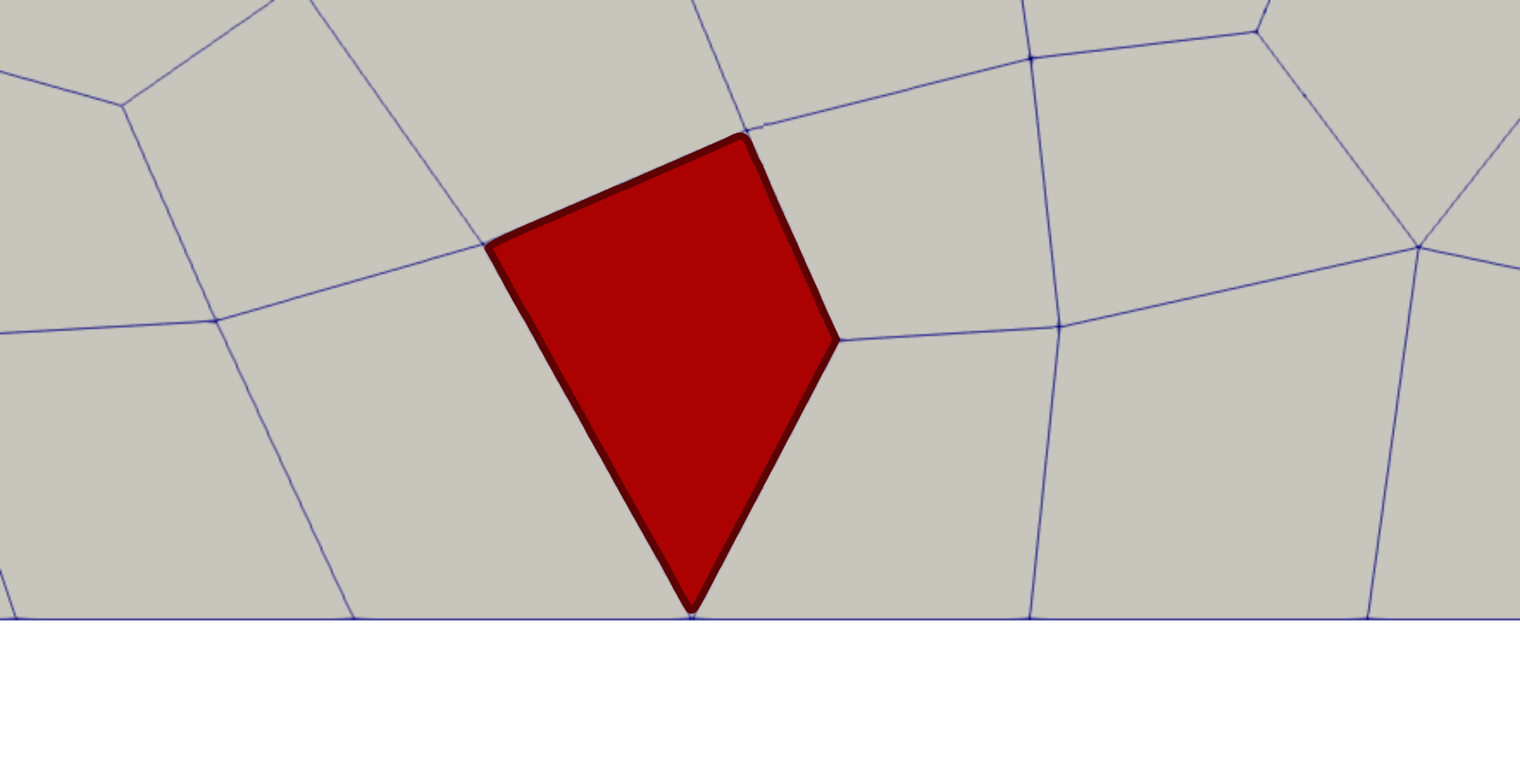
check diamond cellsparameter enables searching for diamond-shaped boundary cells and adding them to particle-wall contact search cells. The following image shows a diamond-shaped boundary cell colored in red. A diamond cell is defined as a cell that has a vertex or an edge on the boundary, but no face lying on the boundary.
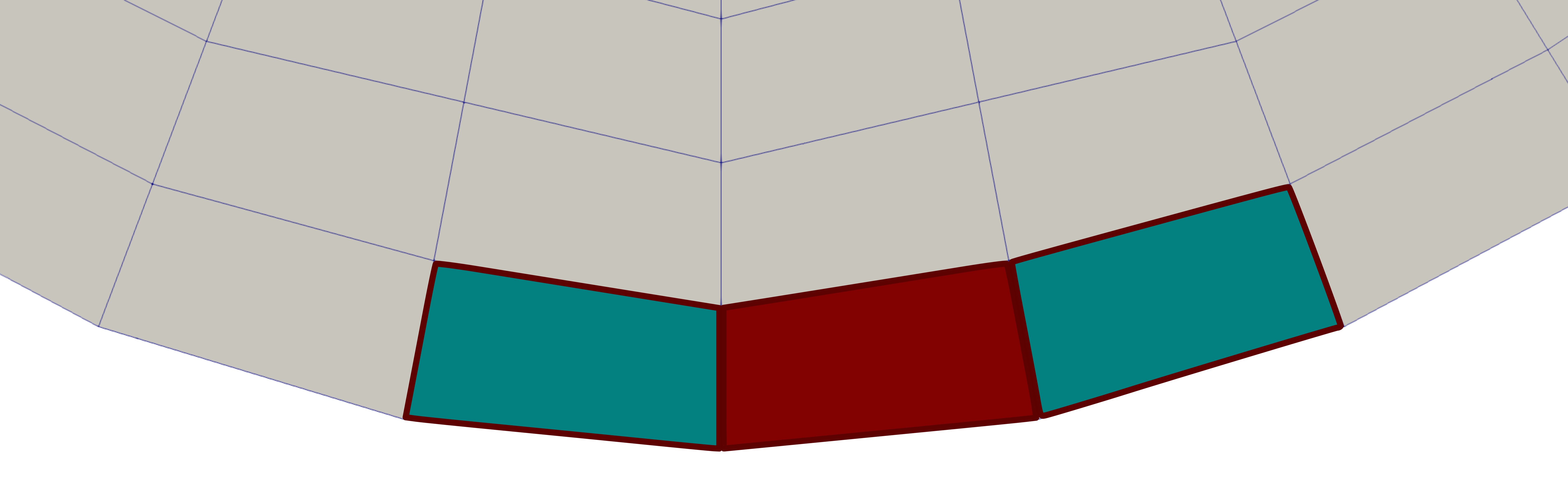
expand particle-wall contact searchextends the boundary walls in a cell by appending the boundary walls of the neighboring cells to the particle-wall contact list. This adds the boundary faces of the neighboring cells and allow particles to collide with boundary walls that are not faces of the cell in which they reside. Only neighboring boundary faces that form a convex boundary with the current cell are added; boundary faces forming a non-convex boundary are excluded. The following figure illustrates this concept. When a particle is located in a boundary cell (shown in red), the boundary faces of neighboring cells that form a convex boundary with the current cell (neighboring cells shown in green) are also considered during the particle-wall contact search. This is necessary because a particle whose centroid lies within the red cell can simultaneously contact both the boundary face of the current cell and the boundary face of a neighboring cell when the two faces form a convex boundary. In contrast, boundary faces of neighboring cells that form a concave boundary (neighboring cells shown in orange) are not considered during the particle-wall contact search.
Warning
In geometries with convex boundaries, this feature MUST NOT be activated.